
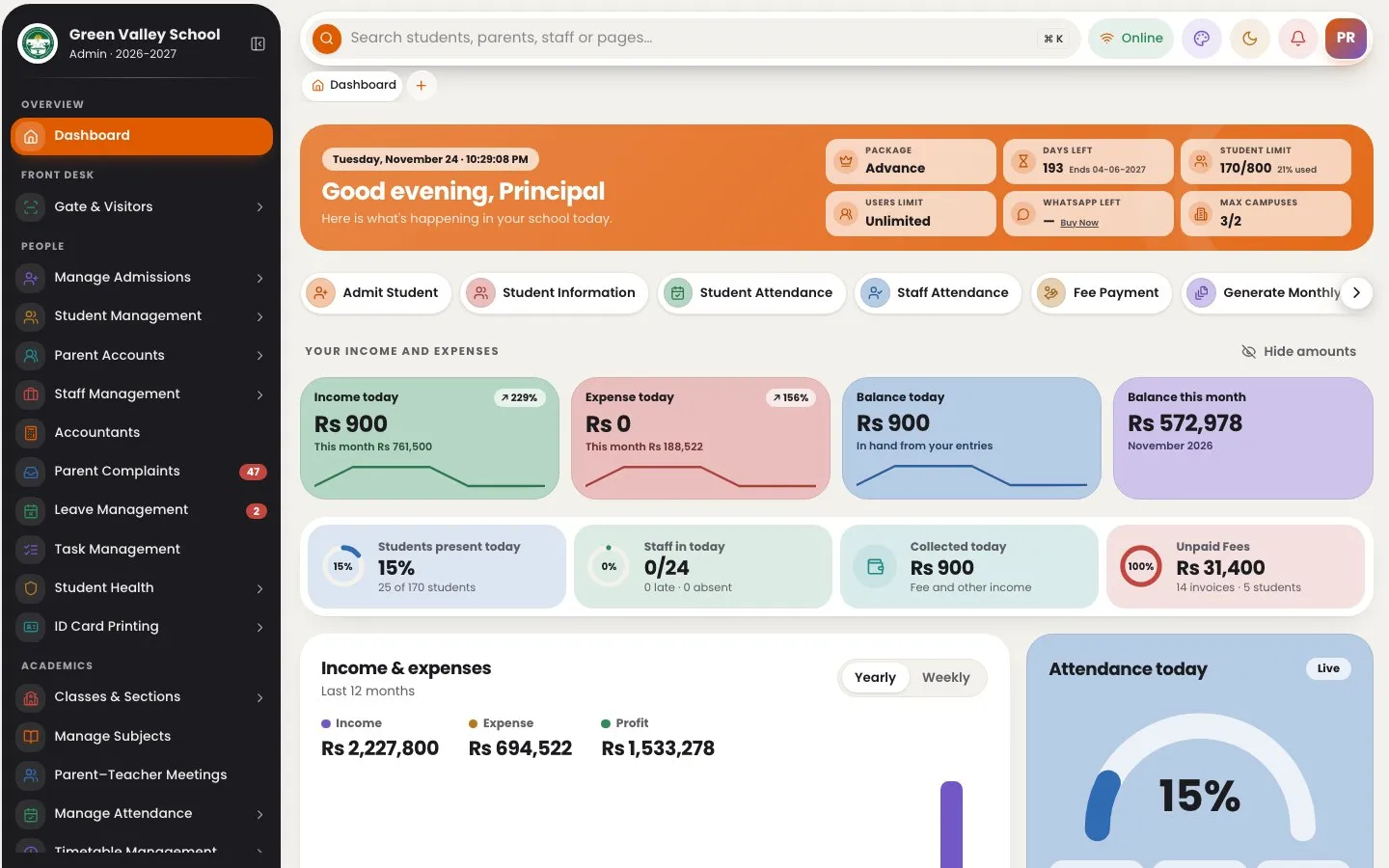

Every school runs on information: who is enrolled, who has paid, who was absent, who passed. In most schools that information lives in registers, Excel files and the memory of one experienced clerk. A school management system (also called a school ERP or student information system) puts all of it into one organised, searchable place.
What a school management system does
- Admissions and student records — enquiries, entry tests, admission forms, documents and photos, family links between siblings.
- Fees — monthly or term fees generated for every student, discounts, vouchers or invoices, payments and receipts, and a list of who still owes.
- Attendance — students and staff, marked by teachers on a phone or by fingerprint, face or QR-code scanners.
- Exams and results — marks entry, grades, positions, tabulation sheets and printed report cards.
- Communication — absence alerts, fee reminders, results and notices sent to parents by WhatsApp, SMS, email or the app.
- Staff — records, timetables, leave and payroll.
How a cloud system works day to day
With a cloud system like EasySchoolin there is no server in your office. The school gets its own web address (for example yourschool.easyschoolin.com). The principal, accountant and teachers sign in from any browser; parents and students use the free mobile app. Everyone sees the same live data, but only the parts they are allowed to see.
A normal morning looks like this: teachers mark attendance on their phones in the first period, parents of absent children get a message within minutes, the accountant takes fee payments at the counter and each parent receives a receipt, and the principal opens a dashboard that shows attendance, money in and out, and anything that needs attention.
Why schools move to one system
The biggest gains are not fancy features. They are time (no copying the same names into ten registers), money (fewer unpaid fees slipping through) and trust (parents who know what is happening). A good system also protects the school when a key staff member leaves — the knowledge stays in the software.
What to look for
Choose a system your office can learn in a day, that works on phones, that lets you control who sees what, and that keeps automatic backups. Try it with your own classes before paying — EasySchoolin gives every package the first month free.
Frequently asked questions
Is a school management system the same as a school ERP?
Mostly, yes. "School ERP" is used for larger systems that also cover accounts, payroll and inventory; EasySchoolin includes all of those.
Do we need to install anything?
No. EasySchoolin runs in the browser and on Android and iPhone; the school gets its own web address.
Can teachers and parents use it too?
Yes. Each person signs in to their own portal or the app and sees only their own classes or children.