
Teacher Portal
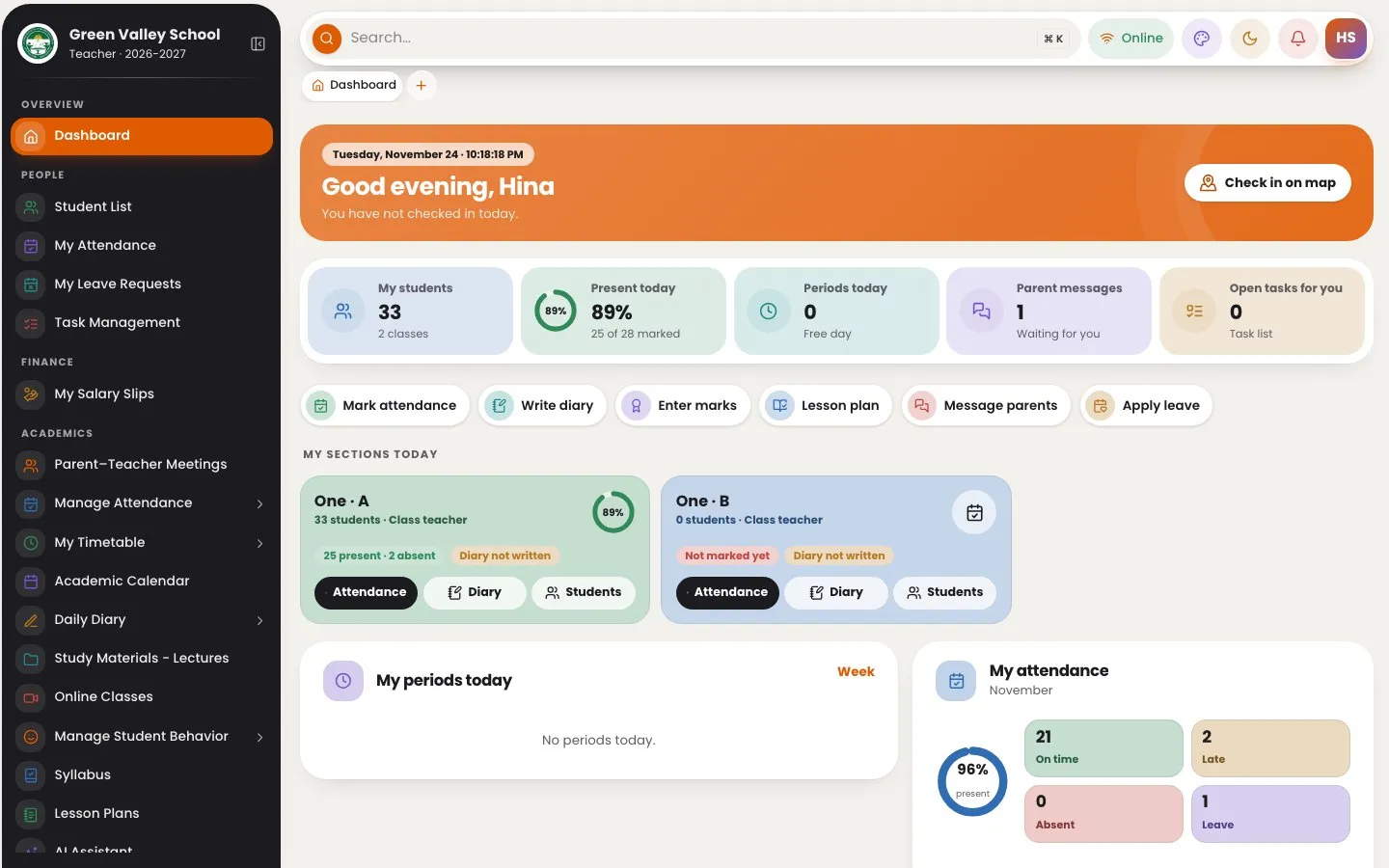
Teachers get a simple portal and app with exactly their own work: their classes, their subjects, their timetable. Class teachers manage their section; subject teachers manage their subjects.

What you can do
- Daily timetable and substitutions
- Student attendance for the class teacher's section
- Marks entry and remarks for their own subjects / section
- Homework diary with pictures, and homework checking
- Lesson plans and syllabus coverage, with optional AI drafts
- Study material, online classes and quizzes
- Own check-in / check-out, attendance and salary slips
- Parent messages for the class teacher
How to use it
Start the day
Classes, periods, attendance status and parent messages on one screen.


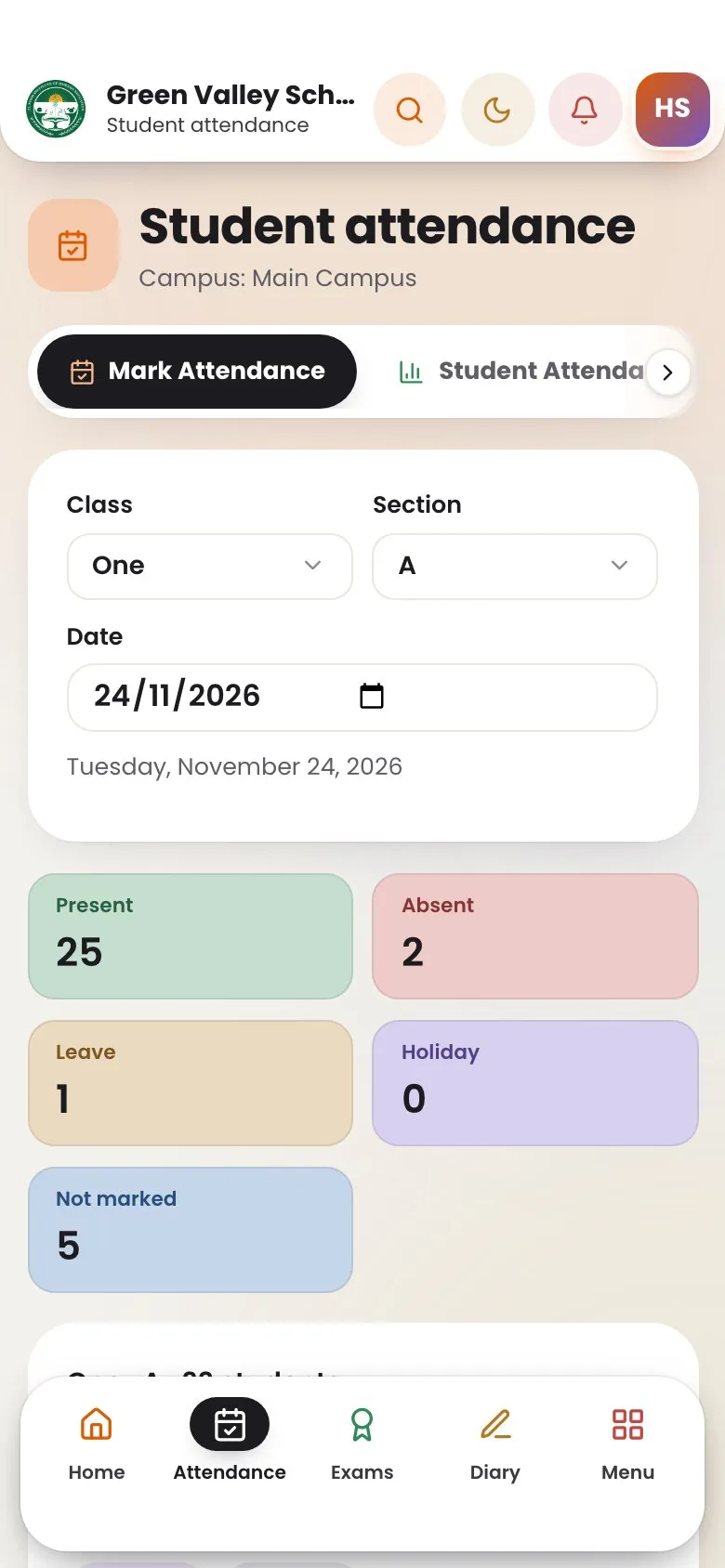
Mark attendance
For the class teacher's own section.

Marks and diary
Enter marks and write the diary for your own subjects.




More screens


Frequently asked questions
Can a subject teacher see the whole class?
A subject teacher works only on their own subjects (marks, diary, tests). Student lists, attendance, behaviour and remarks are for the class teacher.
Works together with
Homework Diary
Teachers write the daily diary for their subjects with pictures; parents get it on WhatsApp, SMS and the app, and teachers check homework the next day.
Exams & Results
Marks entry by subject teachers, automatic grades and positions, tabulation sheets, printable marksheets, admit cards, date sheets and result alerts.
Attendance Management
Student and staff attendance by biometric fingerprint, face, ID-card QR scan or the teacher app, with instant absent alerts to parents on WhatsApp.
Try EasySchoolin — your first month is free
Create your free account in two minutes — no card, no payment. Your school is ready straight away, with every feature of the package you choose.