
Class Test Management
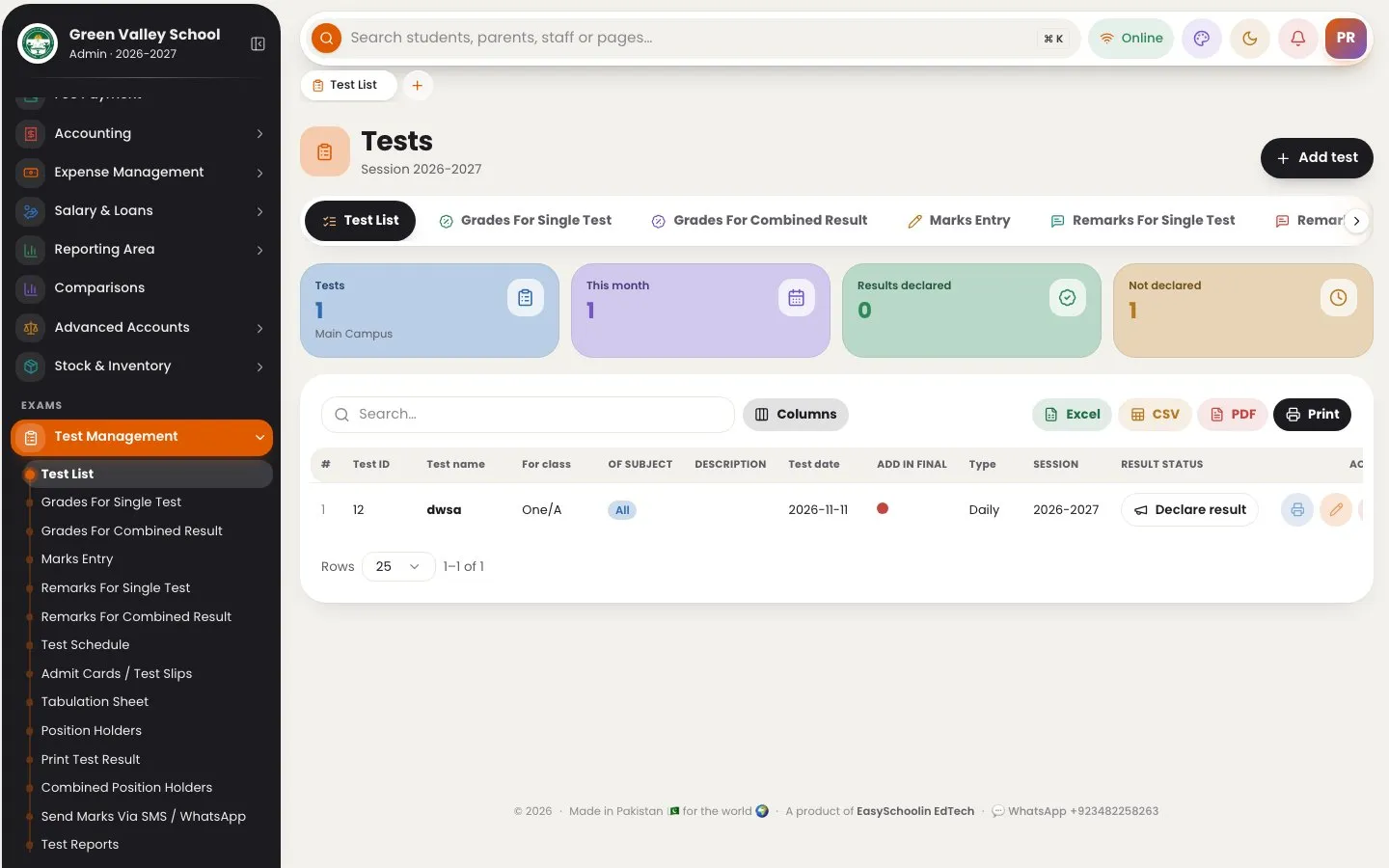
Class tests happen every week. Teachers add their own tests, enter marks and declare results; at month end the software combines the tests into one result with positions — ready to print or send to parents.

What you can do
- Daily, weekly and monthly tests per subject or for all subjects
- Teachers add tests for their own sections and subjects
- Test schedule printed or sent on WhatsApp
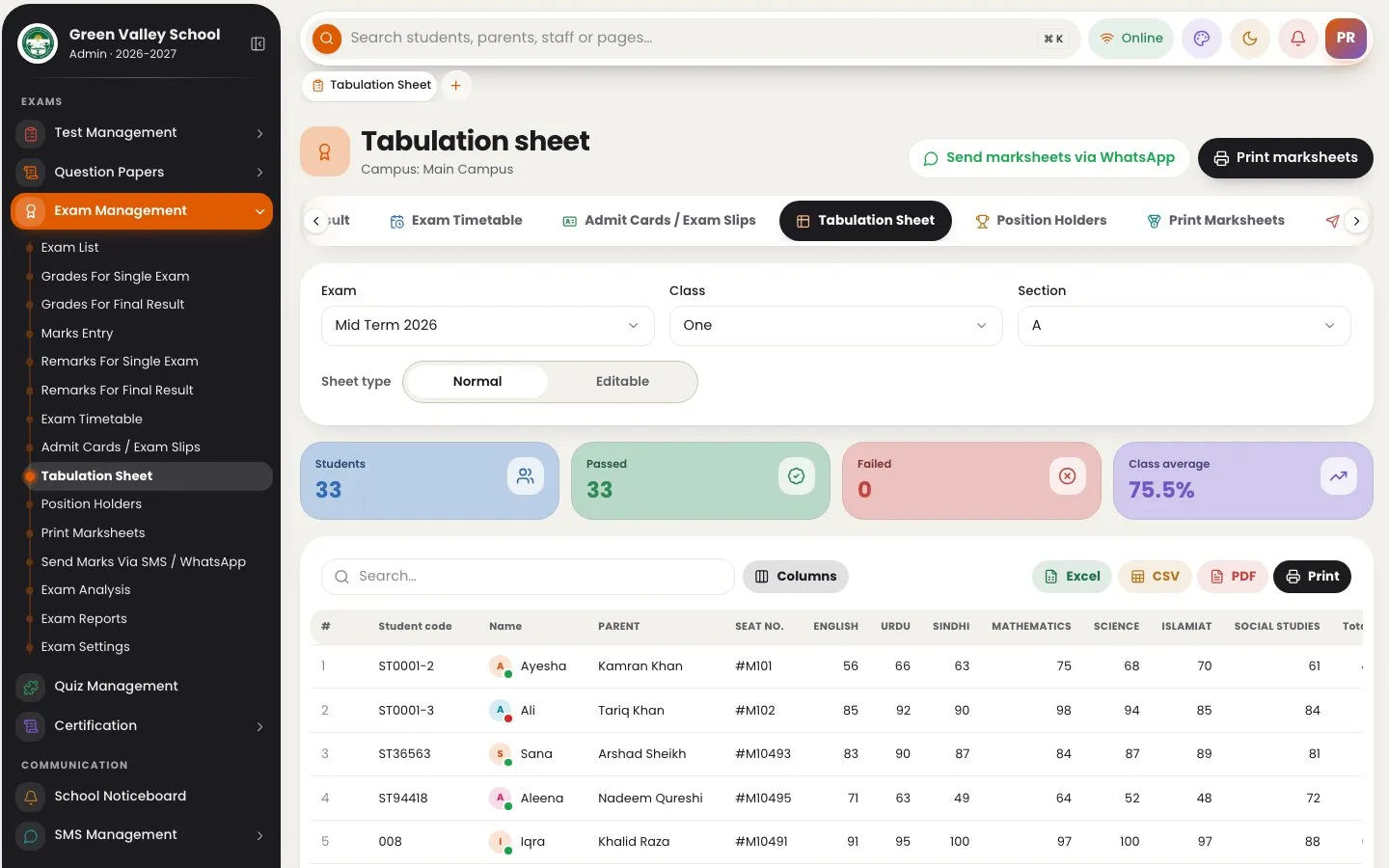
- Marks entry, remarks, tabulation sheet and position holders
- Combined result of many tests between two dates
- Test marks to parents by SMS / WhatsApp
- Test admit cards / slips for the selected students
How to use it
Add the test
Class, section, subject, type and date — teachers can add their own tests.
Enter marks
The subject teacher fills one sheet.


Share results
Print the test result or send marks to parents.

Watch how it works
Step-by-step videos on the real screens, with Urdu and English captions. Each one also has a written guide.
More screens


Frequently asked questions
Can tests be added to the final result?
Yes. Mark a test "add in final" and it is counted in the combined result for the dates you choose.
Works together with
Exams & Results
Marks entry by subject teachers, automatic grades and positions, tabulation sheets, printable marksheets, admit cards, date sheets and result alerts.
Teacher Portal
Teachers mark attendance, enter marks, write the diary, check homework, plan lessons and track syllabus — only for their own sections and subjects.
WhatsApp & SMS Alerts
Send fee reminders, absent alerts, results, diaries and notices to parents on WhatsApp, SMS, email and app notifications — automatically or in bulk.
Try EasySchoolin — your first month is free
Create your free account in two minutes — no card, no payment. Your school is ready straight away, with every feature of the package you choose.