
Multi-Campus School Management Software
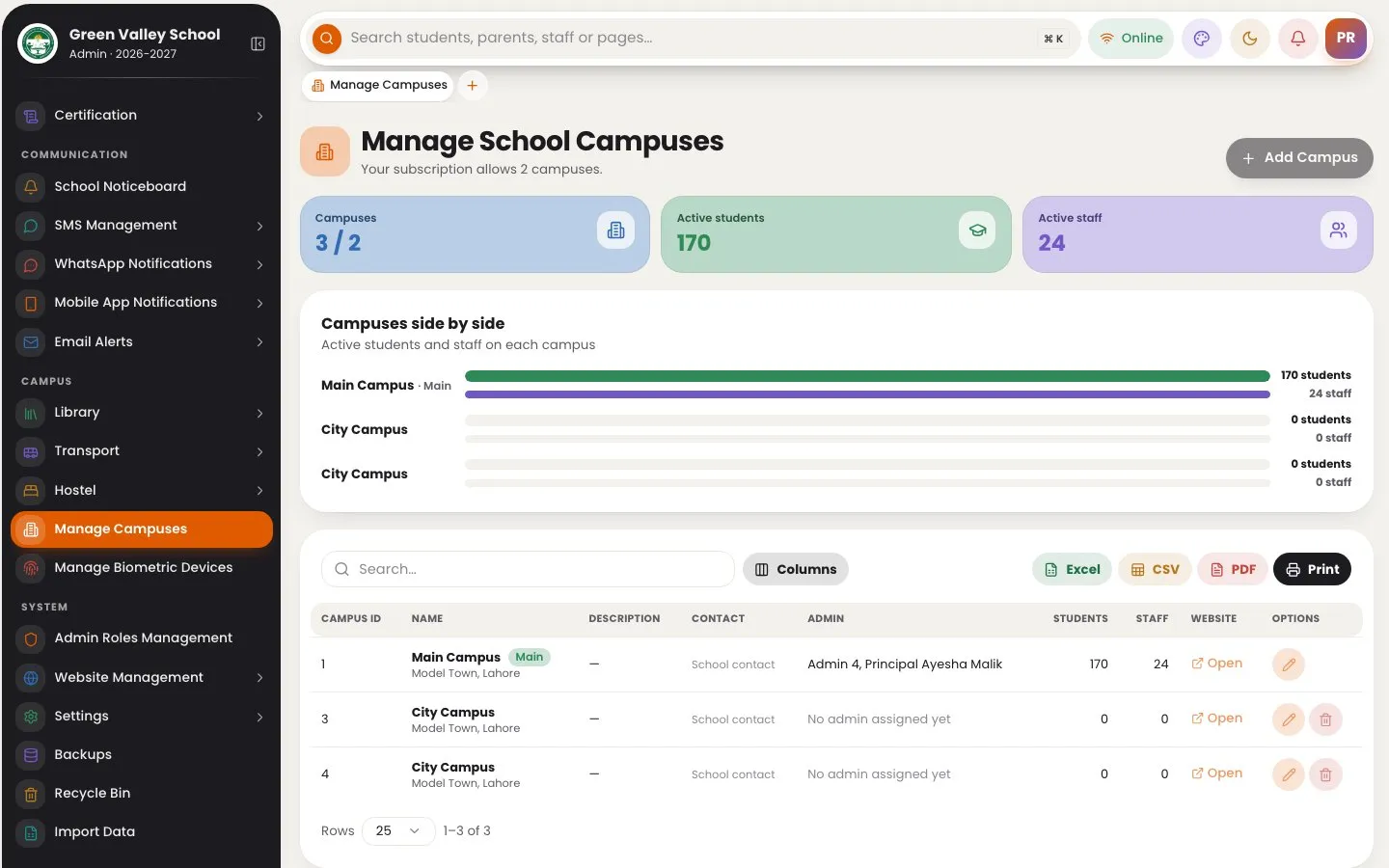
School chains run every branch from one software. Each campus keeps its own students, fees, staff and reports, while the owner switches between campuses and compares them.

What you can do
- Each campus with its own classes, students, fees and staff
- Owner and super admins switch campus in one click
- Campus comparison reports
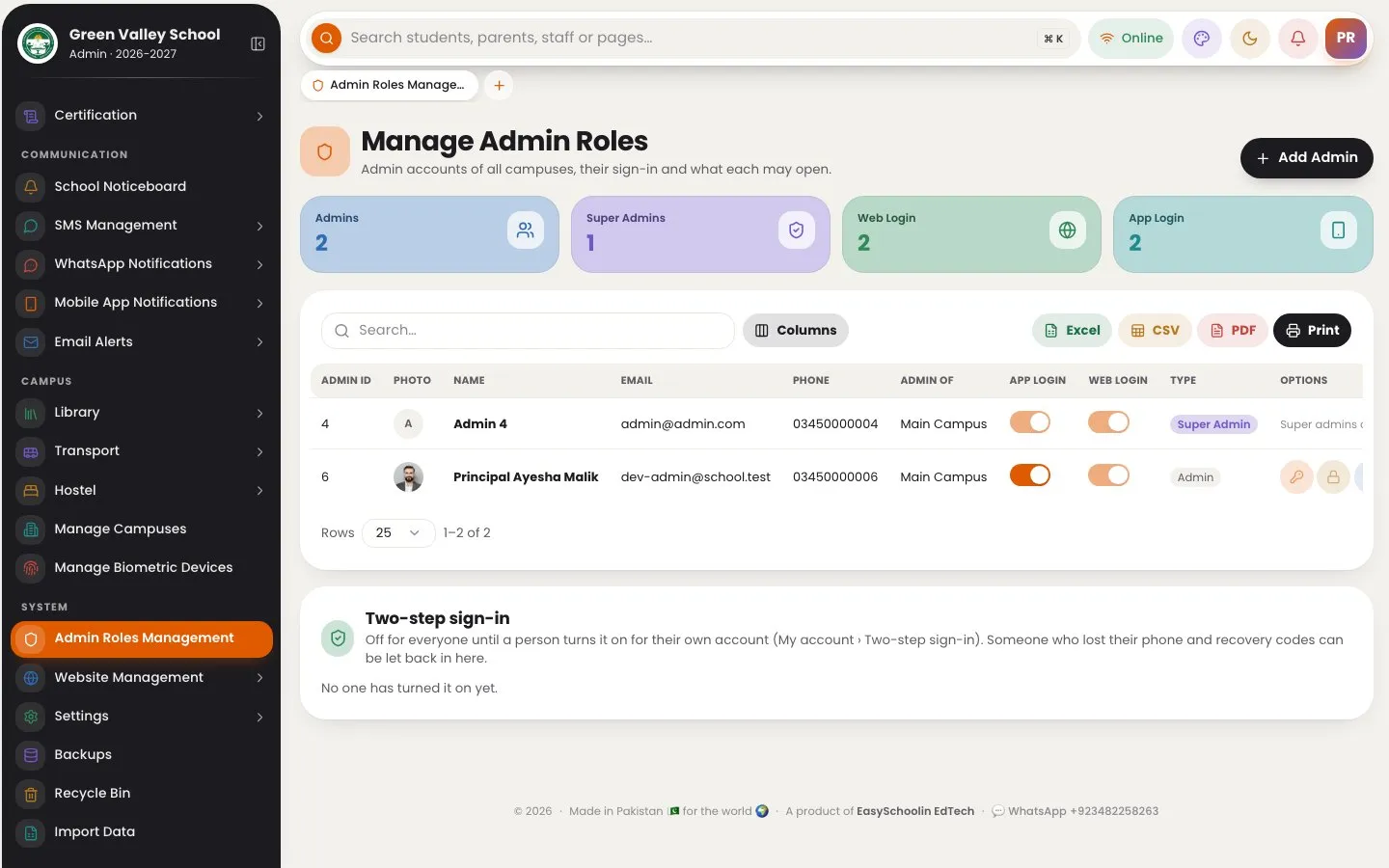
- Admins and accountants limited to their campus
- One website with a campus picker
How to use it
Add campuses
Each branch with its own records.
Give access
Admins and rights per campus.

Watch how it works
Step-by-step videos on the real screens, with Urdu and English captions. Each one also has a written guide.


Frequently asked questions
How many campuses can we have?
The Multi Campus package includes 2 campuses and the Unlimited package up to 5. Ask us for more.
Works together with
Accounts & Reports
Income and expense accounts, bank and cash, balance sheet, campus comparison and owner daily summary — every rupee of the school in one place.
Free School Website
Every package includes a modern school website — admissions form, fee challan download, gallery, notices and calendar — updated from the software.
Security & Backups
A private database for every school, 256-bit SSL, automatic backups, recycle bin, audit and login logs, and fine-grained roles for every user.
Related articles
How to Choose a School Management System: A 12-Point Checklist
A practical checklist for principals and school owners comparing school management systems: features, languages, currency, mobile app, security, support and price.
School Management Software Pricing Explained
How school management software is priced — per student, per campus, per month or year — what is usually extra, and what EasySchoolin costs in US dollars.
Try EasySchoolin — your first month is free
Create your free account in two minutes — no card, no payment. Your school is ready straight away, with every feature of the package you choose.