
School Accounting Software
See exactly where the school's money comes from and where it goes. Fees, expenses, salaries and sales post to the accounts automatically, and the owner gets a daily summary.
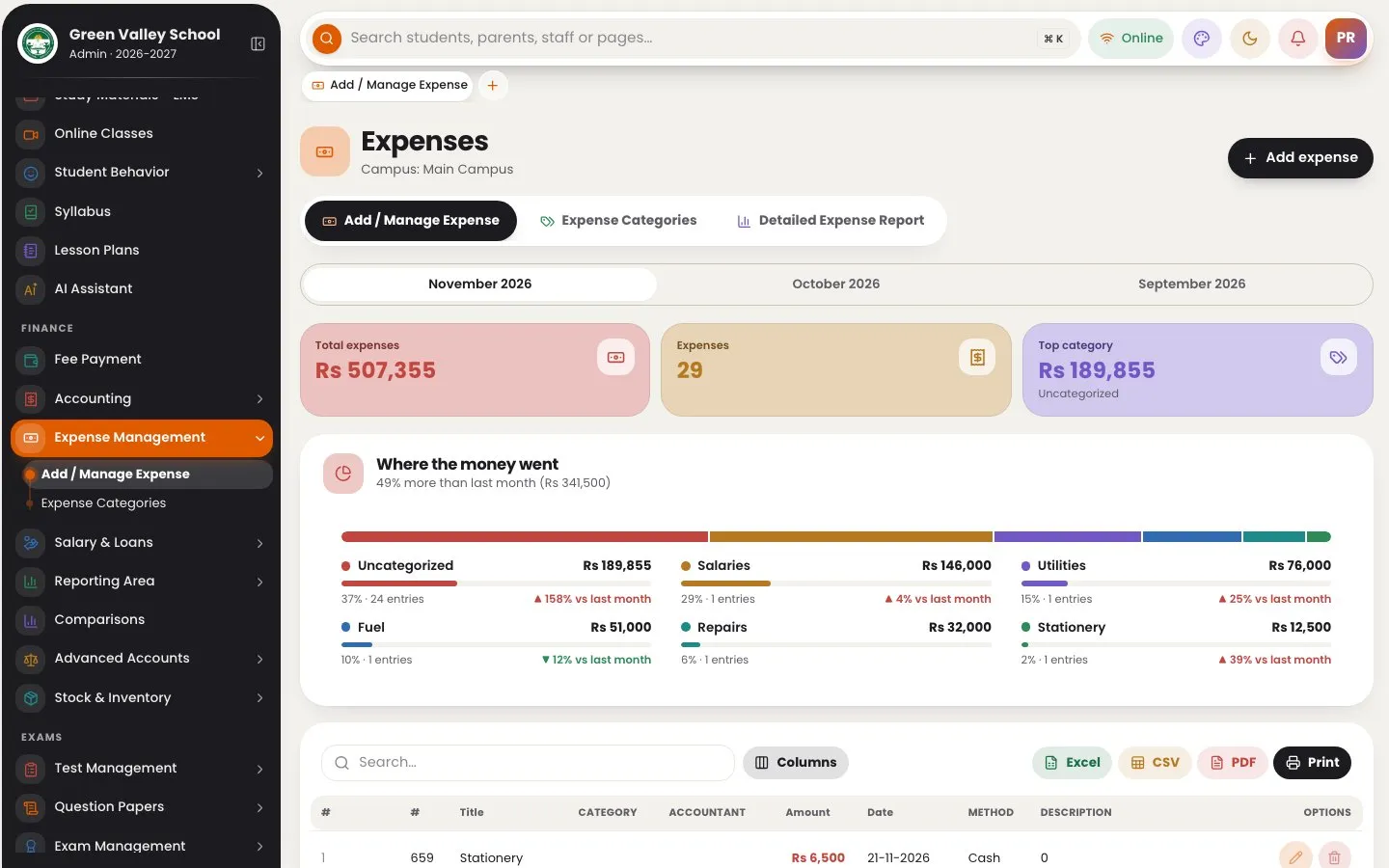

What you can do
- Expenses with categories, receipts and who entered them
- Income from fees, custom payments and POS sales
- Bank and cash accounts, advanced accounts and balance sheet
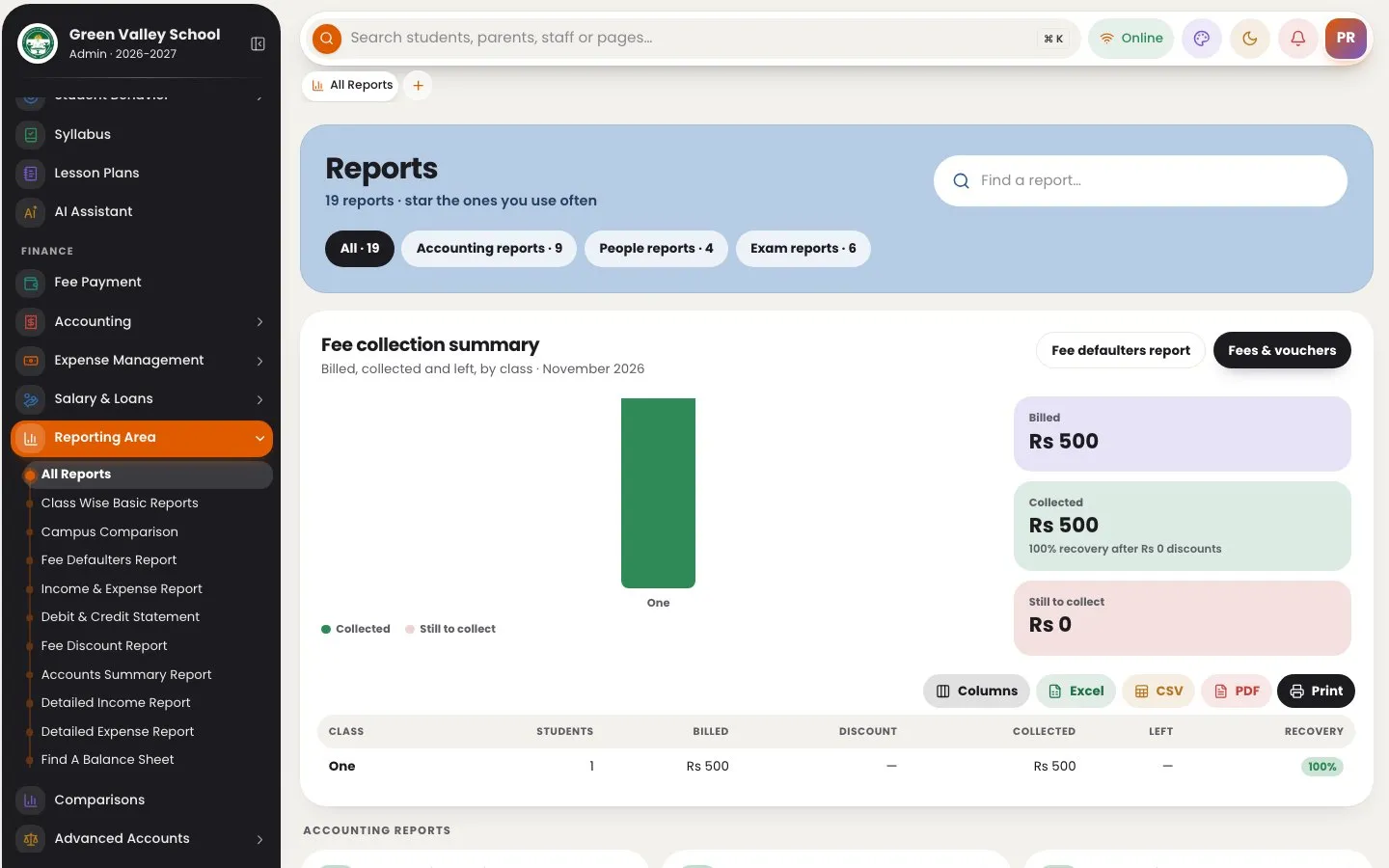
- Monthly income and expense reports, fee defaulters report
- Campus-by-campus comparison
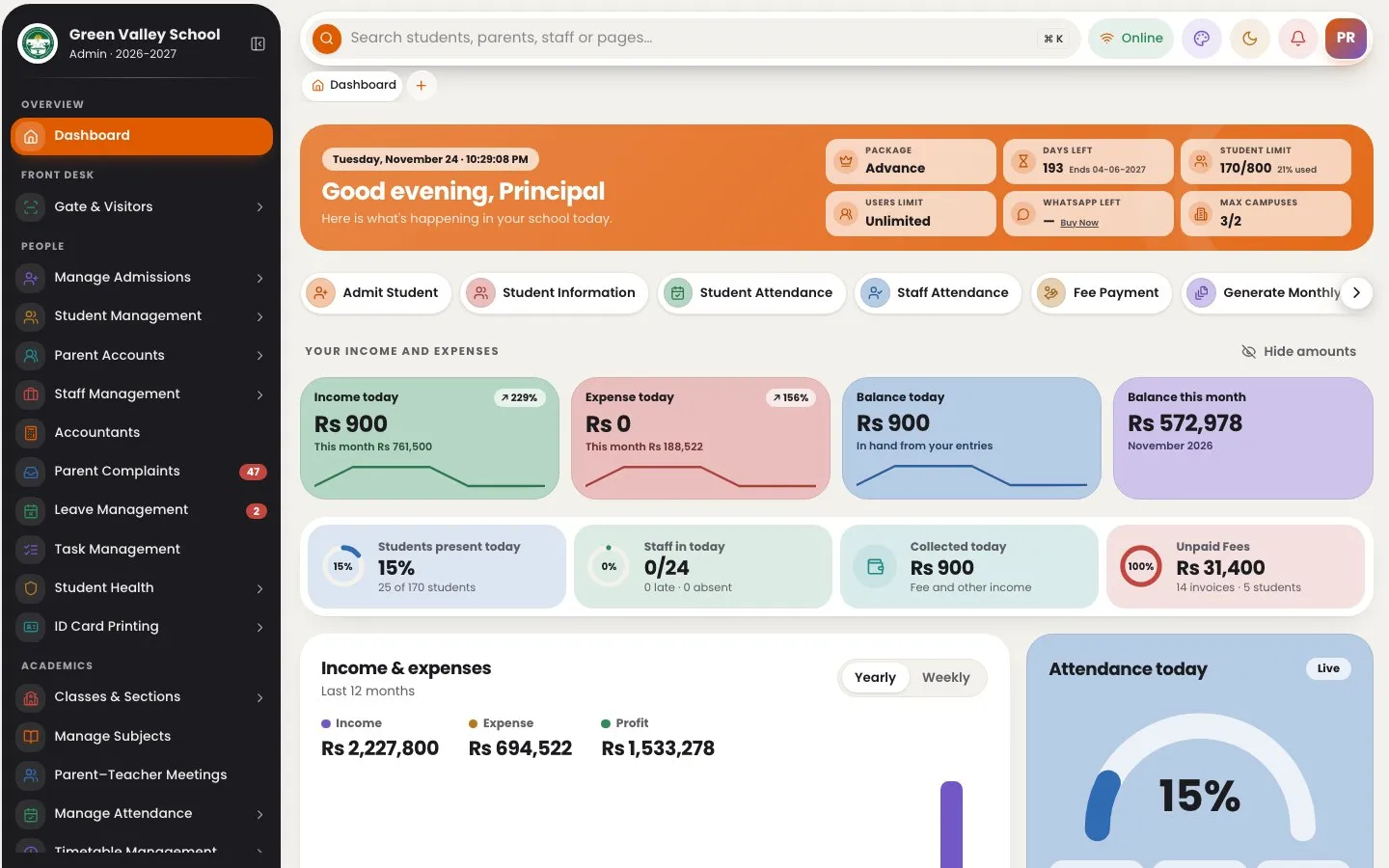
- Owner daily summary of collections and expenses
- Role-based rights: what each admin and accountant can see or change
How to use it
Record expenses
With categories, so you see where the money goes.
Read the reports
Income, expenses, defaulters and balance sheet.

Daily view
Today's collection for the accountant and the owner.


Watch how it works
Step-by-step videos on the real screens, with Urdu and English captions. Each one also has a written guide.


More screens

Frequently asked questions
Can an accountant delete old payments?
Only with the rights you give. Normal admins and accountants cannot change entries older than today; the super admin can.
Works together with
Fee Management
Generate monthly fees, print vouchers, take partial payments, record bank and cash payments, and send fee reminders on WhatsApp.
Payroll & HR
Staff records, attendance-based salaries, advances, loans, pension, tax and EOBI, bank salary files, leave and printable salary slips.
Multi-Campus
Run every branch from one account: each campus with its own students, fees and staff, campus switching for the owner and campus comparison reports.
Try EasySchoolin — your first month is free
Create your free account in two minutes — no card, no payment. Your school is ready straight away, with every feature of the package you choose.